Edit Mode (new in v0.11.0)
Split code/preview pane synced by line, line numbers, resizable panels, and conflict handling — with no measurable cost over reading mode.
Free · Open source · Windows, Linux, macOS and Android · Spanish/English UI 🆕
Open .md files instantly, without launching an IDE or a browser.
~14 MB, starts in under 200 ms. Lightweight installer with Windows'
own rendering engine already built in.
 ⬇️ .exe installer (Windows / Linux)
🍎 Get it on Uptodown (macOS)
🤖 Get it on Google Play
View source on GitHub
⬇️ .exe installer (Windows / Linux)
🍎 Get it on Uptodown (macOS)
🤖 Get it on Google Play
View source on GitHub
Recommended on Windows 11: Microsoft Store, with auto-update and no SmartScreen warnings · Also Windows 10/11 (.exe) · Linux (.deb / .AppImage) · macOS (Uptodown or .dmg) · Android (Google Play) · No account, no ads, no telemetry
Most Markdown readers are built on Electron: they bundle a full Chromium browser just to show you text, burning through hundreds of MB of RAM for a simple task. DBV Markdown Reader is written in Rust on top of Tauri v2 and uses the rendering engine your system already ships with (WebView2 on Windows, WebKitGTK on Linux) — same result, a fraction of the weight.
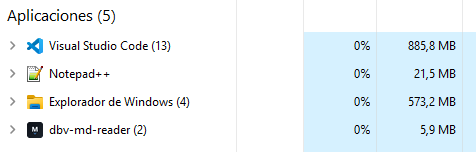
The same 2 .md files open at once — memory usage according to Windows Task Manager. Not even Notepad++, the historical reference for lightness, comes close.
What about the Edit Mode added in v0.11.0? Same reproducible benchmark, before and after adding it: no code-editor library (it reuses the same renderer as reading mode), the measured cost is effectively zero.
Full detail and methodology in the repository benchmark.
Split code/preview pane synced by line, line numbers, resizable panels, and conflict handling — with no measurable cost over reading mode.
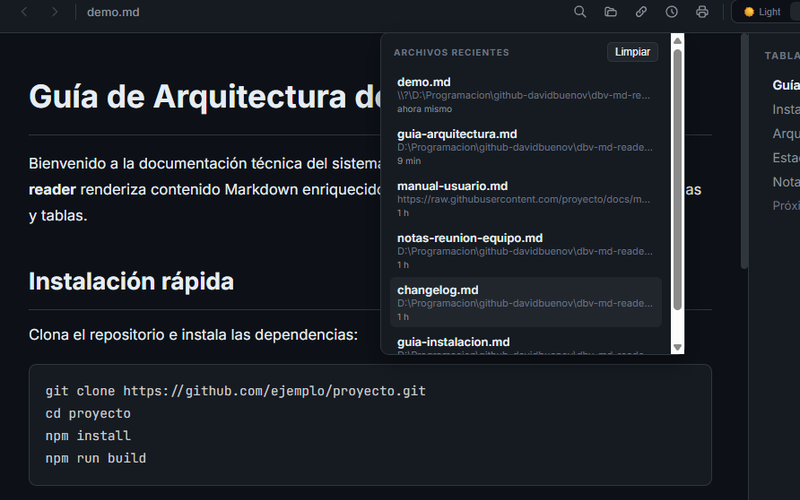
The last documents you opened, one click away — never dig around to find them again.
Edit the file with your favorite editor and the view updates itself, without losing your scroll position.
Paste the URL of a .md published online and open it directly, no manual download needed.
All embedded HTML is automatically sanitized before rendering — zero malicious scripts.
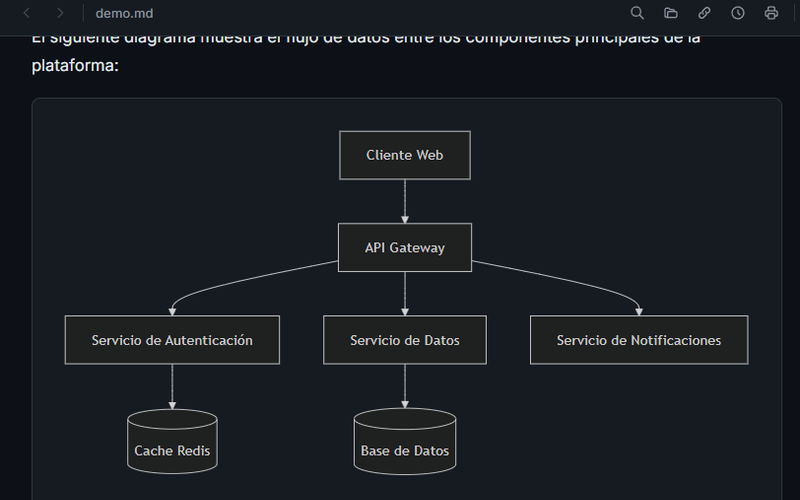
```mermaid code blocks turn into interactive vector diagrams on the fly.
Inline LaTeX $...$ or block $$...$$, rendered instantly with KaTeX.
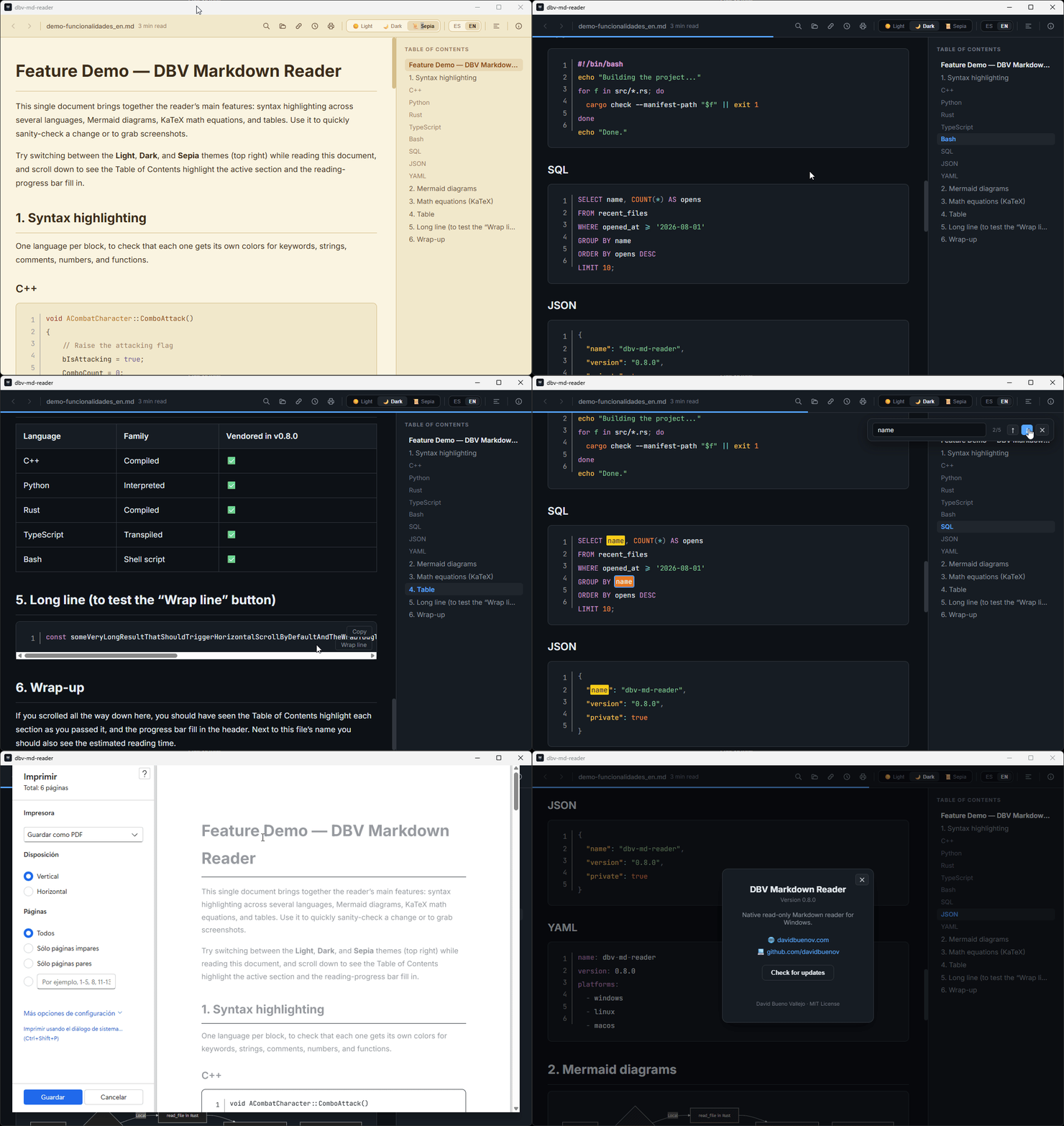
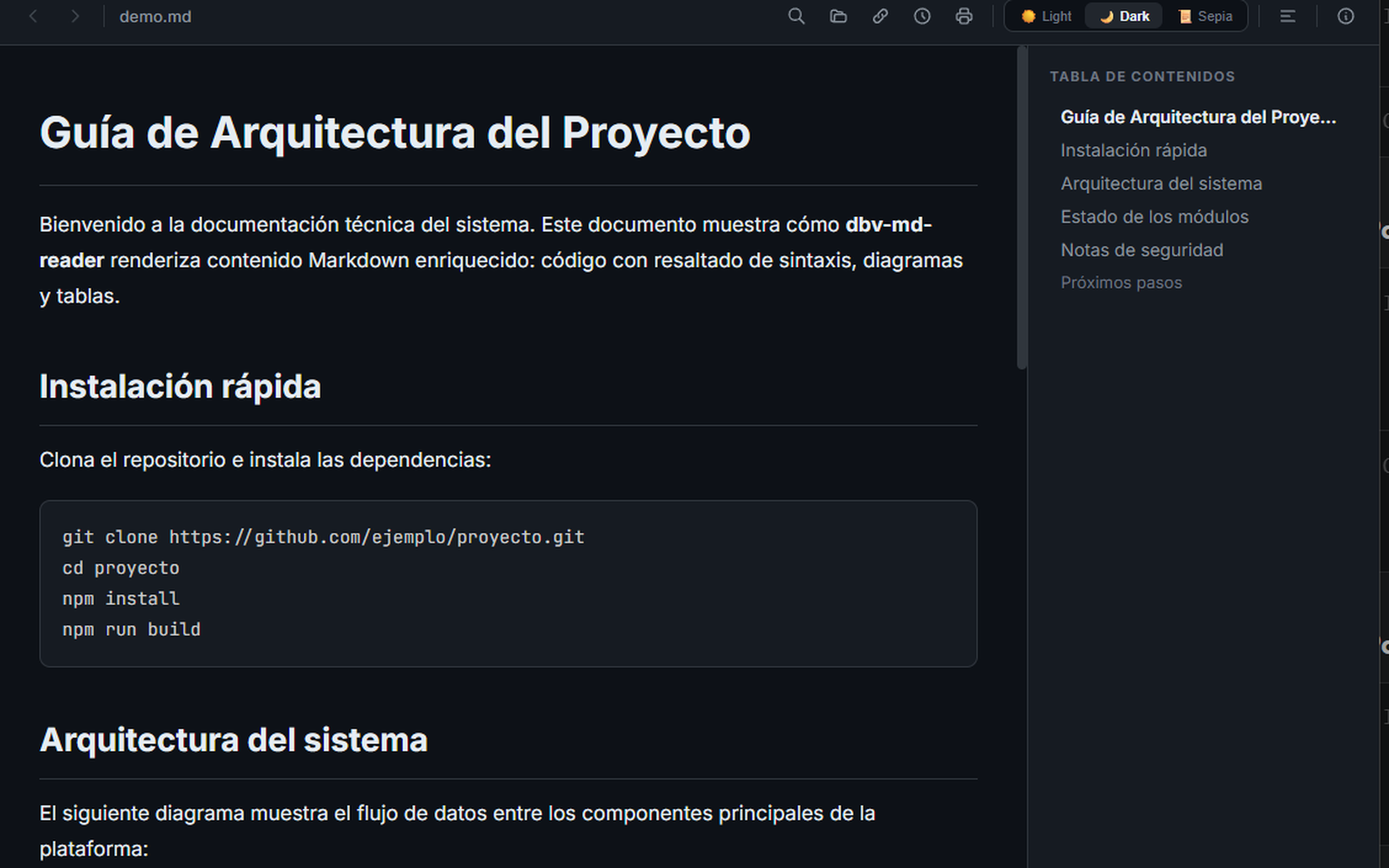
Light, Dark and Sepia for long reading sessions — remembers your choice between sessions.
Ctrl + F highlights every match in the document as you type.
Table of contents generated on its own from headings, with navigation and history.
Full interface in both languages, with automatic detection of your system language.
Pick the theme you want to see it in — the app remembers your preference just like here.
On Windows 11, the easiest way is Microsoft Store. You can also use the .exe installer or the Linux package (.deb / .AppImage) from the Releases page. No Rust, Node or any development tools needed. On macOS? Download the .dmg from Releases or build it yourself — instructions in the README. On Android? Get it on Google Play.
Double-click, no admin rights required. You decide whether dbv-md-reader associates with .md, via a screen with checkboxes checked by default.
Double-click any .md file, or open it from the app with Ctrl + O.
Free, open source and no strings attached. Windows (Microsoft Store or installer), Linux, macOS and Android (Google Play). If something breaks, open an issue on GitHub.